

Photographing Wargame Miniatures;
Having spent years taking various photos of figures for AARs and more recently for my Photo Directory, I've finally got close to a technique I am happy with. Its easy, doesn't require any high-tech equipment, and seems to deliver good results.
So here it is:
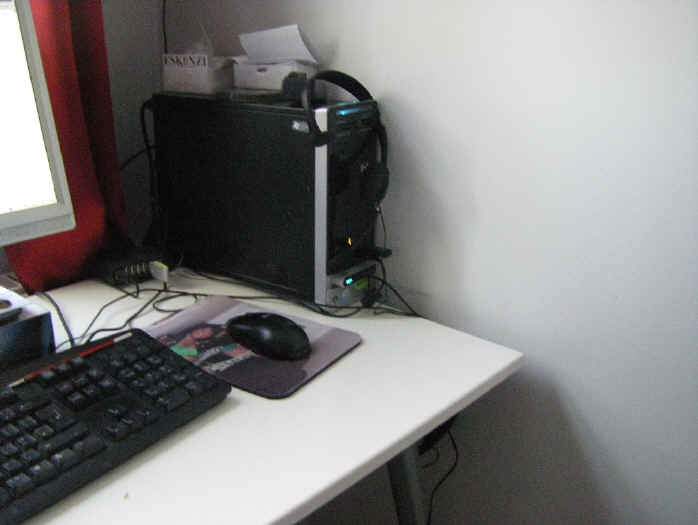
This is my photography studio. Yep, its my desk. Its up against a window, but that's a nice-to-have, not a necessity. The key thing is the surface of the desk is next to a wall, although to be frank any vertical surface will work. Both the desk and wall being light pale colors probably helps as well but its not vital.
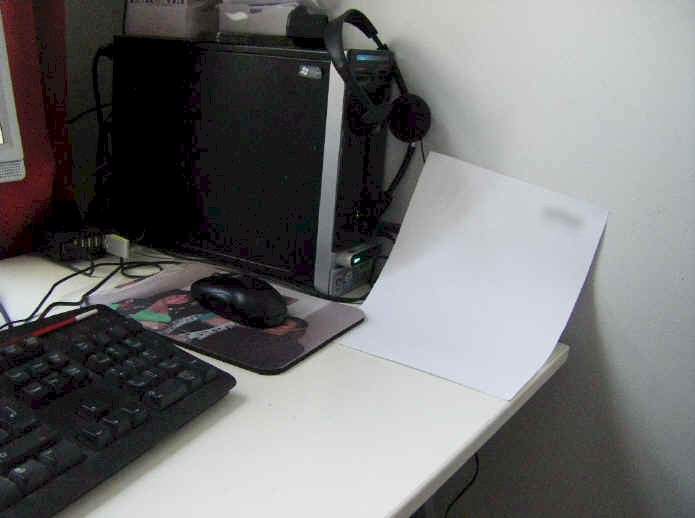
This is the first clever bit. It's a sheet of white paper. So, not that clever really.
The "clever" bit is that it is curved between the desktop and the wall. You could go all high tech and use tape or blu-tack to hold it in place, but I am a bit slack and just trapped one corner under my mouse mat to hold it in place.
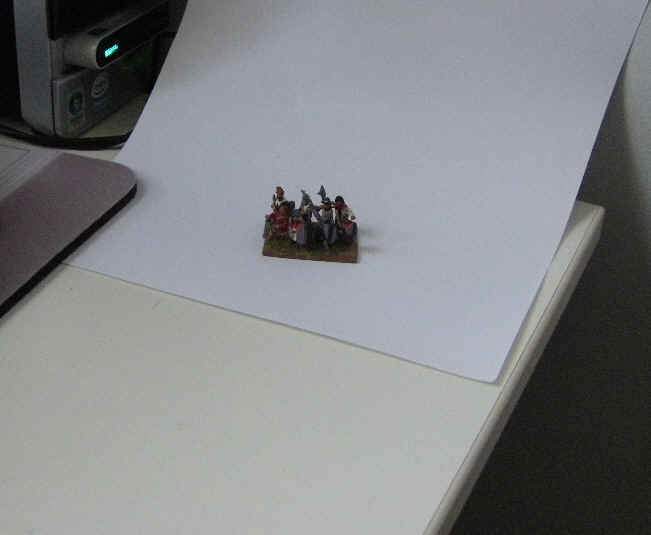
Here you see some figures sat on the paper. Make sure they are not right up against the edge of the paper.
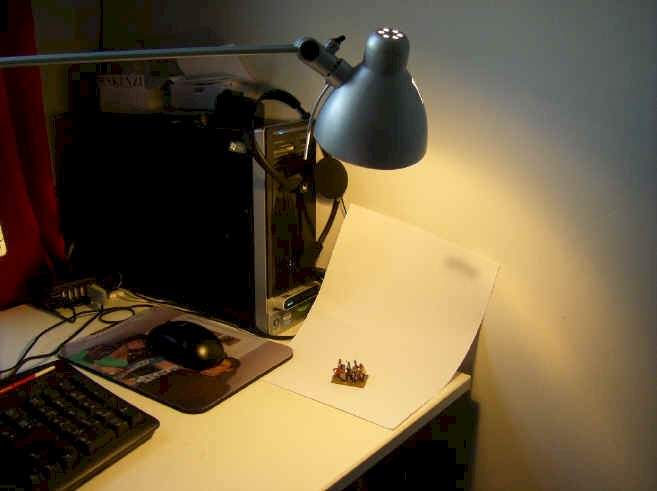
Now I'm using a standard desk lamp - no special bulbs or anything - to flood the figures with additional light from above, making sure to try and minimize shadows.
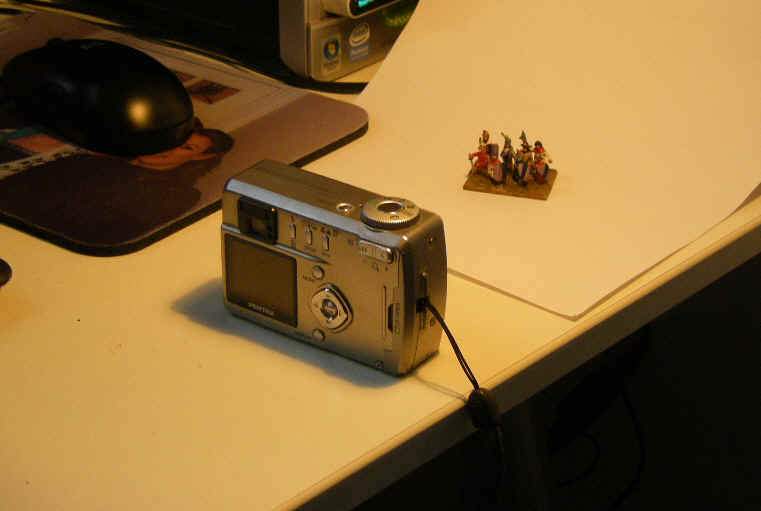
And here's the camera (this is my old camera - you'll see my newer one soon). Again, nothing special, almost the cheaper the better apparently (as I have read that cheaper cameras have a longer "depth of field" than expensive ones - a bigger "depth of field" means 2 ranks of figures will both end up in focus). The only 2 features you MUST have in a camera are 1/ a macro function and 2/ the ability to manually select the "white balance".
The macro function (usually there is a symbol of a little flower on one of the menus) takes close-up photos, and the white balance allows you to compensate the picture for different light sources. If you compare the above photos you can see how the last 2 look more "yellow" - that's because I used a "daylight" light balance to take photos of something illuminated with "tungsten" light. If I'd changed the light balance setting after taking the 2nd photo, they would all look like the next shot below. See - no more yellow!
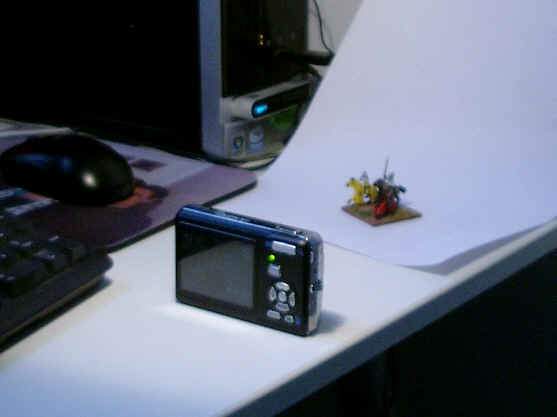
This is about as close as I ever get to the figures - maybe even further away. Digital cameras can take HUGE photos, so its always better to have lots of empty (white) space around your figures and then "crop" the photo later instead of trying to get a zoomed-in image in your viewfinder that fills the whole screen. As most photos I are are for use on websites I don't even bother selecting big file sizes - usually just 1MP / 1024 pixels / 1024x768 will be more than big enough.
Concentrate on getting an in-focus image. If you have enough light its not really an issue, but just to be sure you can ensure you avoid camera shake by putting the camera on a stable surface (as opposed to just holding it) before you push the shutter button.
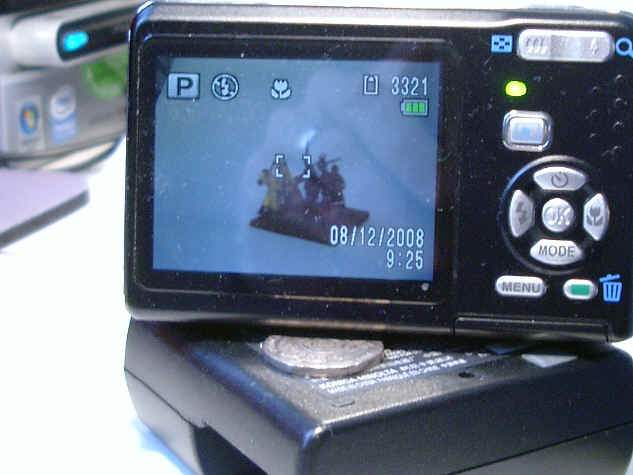
This is the image in the viewfinder of my current camera.
- The "P" means its in "Program" mode - I have manually set the macro function and white balance.
- The next symbol is NO FLASH. This is really important - a flash will create shadows, mess up the white balance and make the figures shiny. So, NO FLASH!!!
- Then you get the "macro" symbol
- Not sure what the others really mean, but 3321 is the number of photos left on the memory card, so it proves I'm not using huge file sizes !
You will also see the image shows a "white" white paper background - that's the correct white balance again. You may need to play around with the various settings (usually Daylight, Shade, Tungsten Light, Fluorescent Light, and sometimes a manual adjust setting which you can fix for your current photo just by pointing at the white paper and pressing the shutter button).
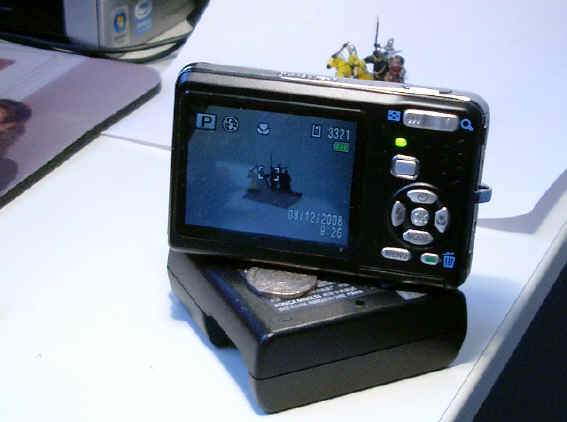
The image is composed from being slightly above the figures. This is down to your preference, but seems to show off the figures to the best effect.
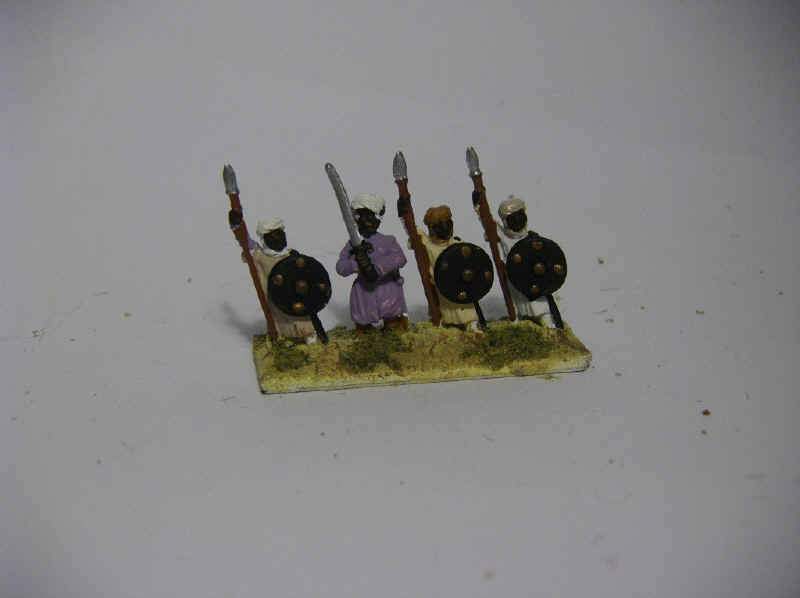
The end result is a photo that looks a little like this. Slightly grey, lots of white space round the figures, not that impressive really. All that work and fiddling around for this ......Doh!
Luckily your computer can help you cheat !
The next step is to load the photos onto your computer. Make sure you COPY then, not MOVE them, as you are going t be doing some messing around and you don't want to make mistakes with the originals!
I've got a PC running Windows Vista (aaarrgghh!! - I know!!) but it does have a simple piece of standard software called Windows Photo Gallery. This is also available to download for Windows XP. I'm no expert and there are plenty of other image manipulation freeware packages out there - even Google have one called Picasa that does much the same thing. And that thing is to allow you to "fix" photos with one click. Brilliant!
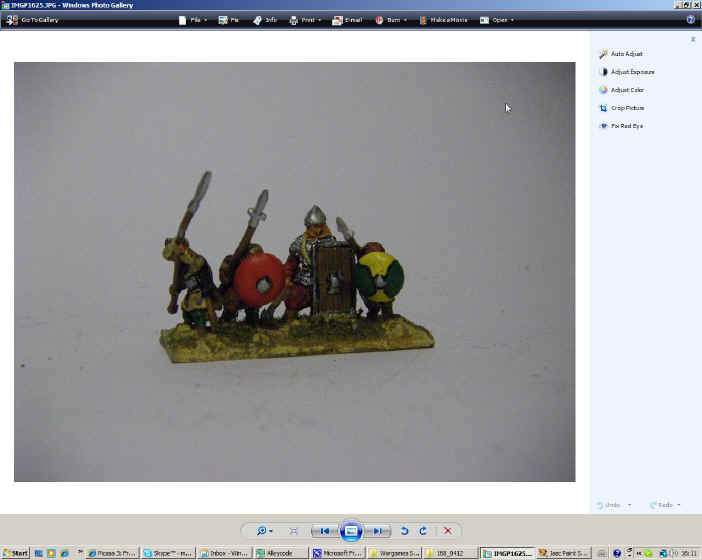
This is a screenshot from Windows Photo Gallery:
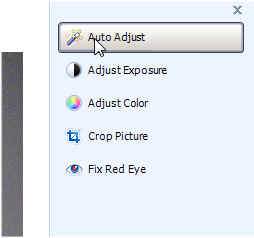
This is me clicking the rather innocuous looking "Auto Adjust button.
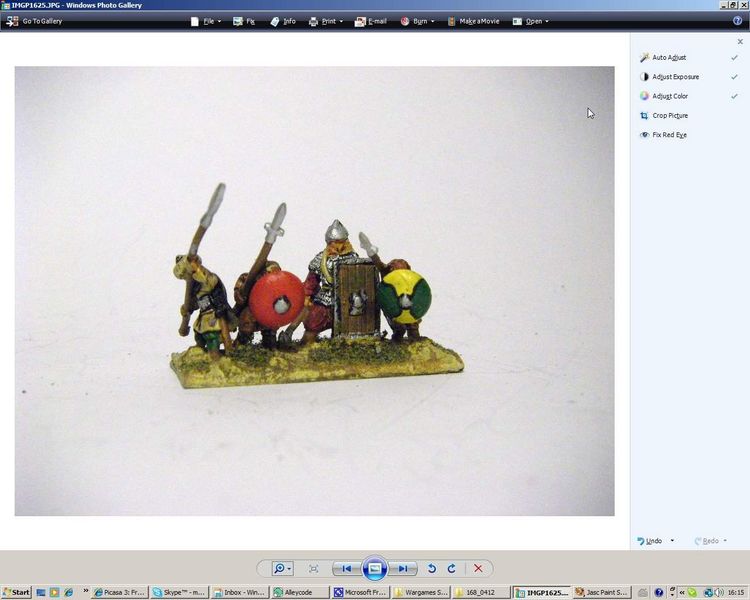
And this is the dramatically improved result! You can play around with individual settings for contrast and colour adjustment, but I find the simple "auto fix" button does the job very well.
However, there is still a lot of white space.
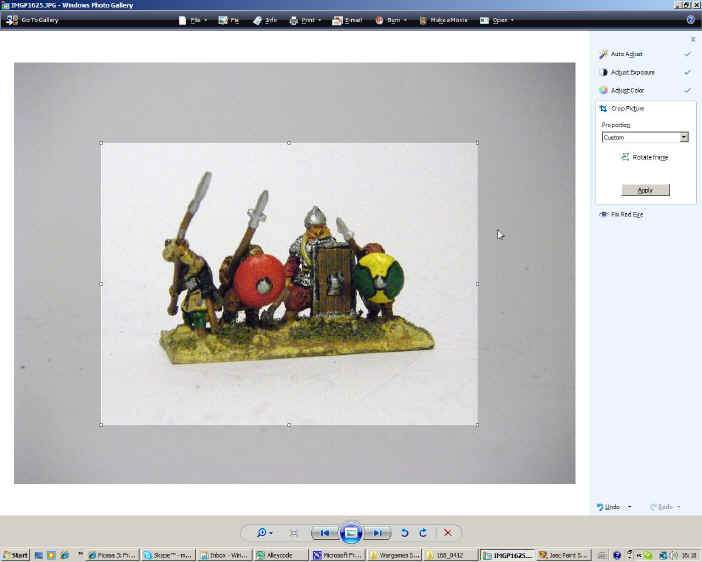
This is the photo being cropped down to size - no need to leave too much space around the figures, just enough to frame them properly.
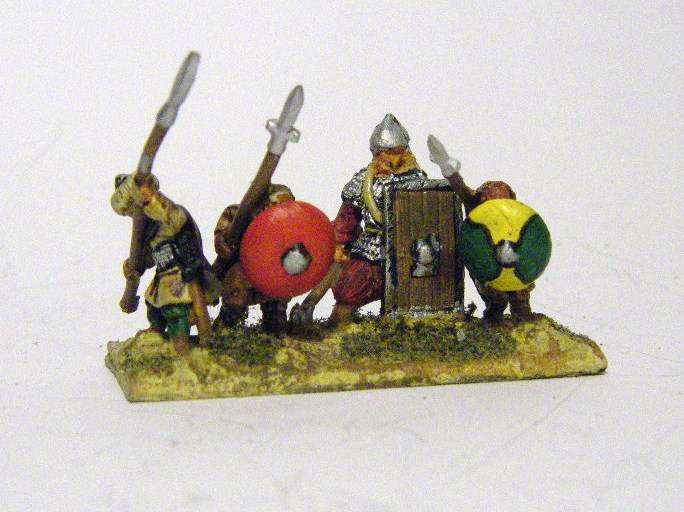
Leaving you with this rather nice image.
The "scuffing" or grey streaks at the base of the figures are actually on the paper and are left from earlier photos where I was photographing unpainted figures, and they left marks - its not a screen or camera effect. But the camera is quite unforgiving, so be careful to keep the shooting area clean!
Finally, when uploading photos I tend to reduce the file size of all the photos before I upload them, as then it improves page load times but without compromising quality unduly. I've used some more free software called VSO Image Resizer but there are others as well.
With VSO I reduce file size to around 65% and set the picture size to 800x600. I generally never upload any photo that has a larger file size than 100KB, however some of the shots on this page are down as low as 30 or 40 KB, which is starting to get a bit patchy
If you are interested, my current camera is a Pentax OPTIO Z10 19325
So, remember:
- An "edge-free" blank white background will show off your figures the best, and also help with improving all-round lighting.
- Lots of light is the most important thing - you can "fix" the type of light later with the camera settings.
- Take a big, in-focus photo and crop it down later - don't get obsessed about zooming in and filling the frame with the figures.
- Your camera needs White Balance and Macro. Nothing else, no fancy lenses or filters.
- You can fix lots of photo issues later on your PC. Your camera needn't do all the work.
- For sharing on the internet you don't need a high quality picture.
Hopefully you find this interesting, useful and it inspires you to take some photos of your figures - as chances are, you already own all the necessary kit to create a high-tech studio like mine!!. If you do get inspired, you can also then share the end result of your work with the hundreds of gamers who visit this site every day by uploading your photos to the Ancients Photo Directory or the 10mm Directory
If you want the swisher version you can always buy a mini studio from Amazon as they sell a Mini photo studio including Lights, stands, tripod, light tent etc
back to Madaxeman.com Home Page !